Democratization and Decarbonization of AI Solutions
This paper addresses two crucial challenges: the failure of many AI solutions to reach their intended users due to poor accessibility, and the significant environmental toll of AI development. Despite the transformative potential of AI, much of its promise remains unrealized for those who need it most, as deployment practices often overlook inclusivity. At the same time, data centers, which power AI, consume vast amounts of energy and clean water, contributing heavily to carbon emissions and resource depletion. To tackle both issues, this paper advocates for greener AI technologies to reduce their environmental footprint and explores edge computing as a key solution. By performing AI inference closer to the data source, edge computing not only cuts down on energy consumption but also enhances accessibility, ensuring that AI's benefits reach broader and more diverse communities. Both democratization and decarbonization are vital for ensuring AI solutions are impactful, sustainable, and equitably distributed.
Preparing the paper…
AI Footprint Tracker
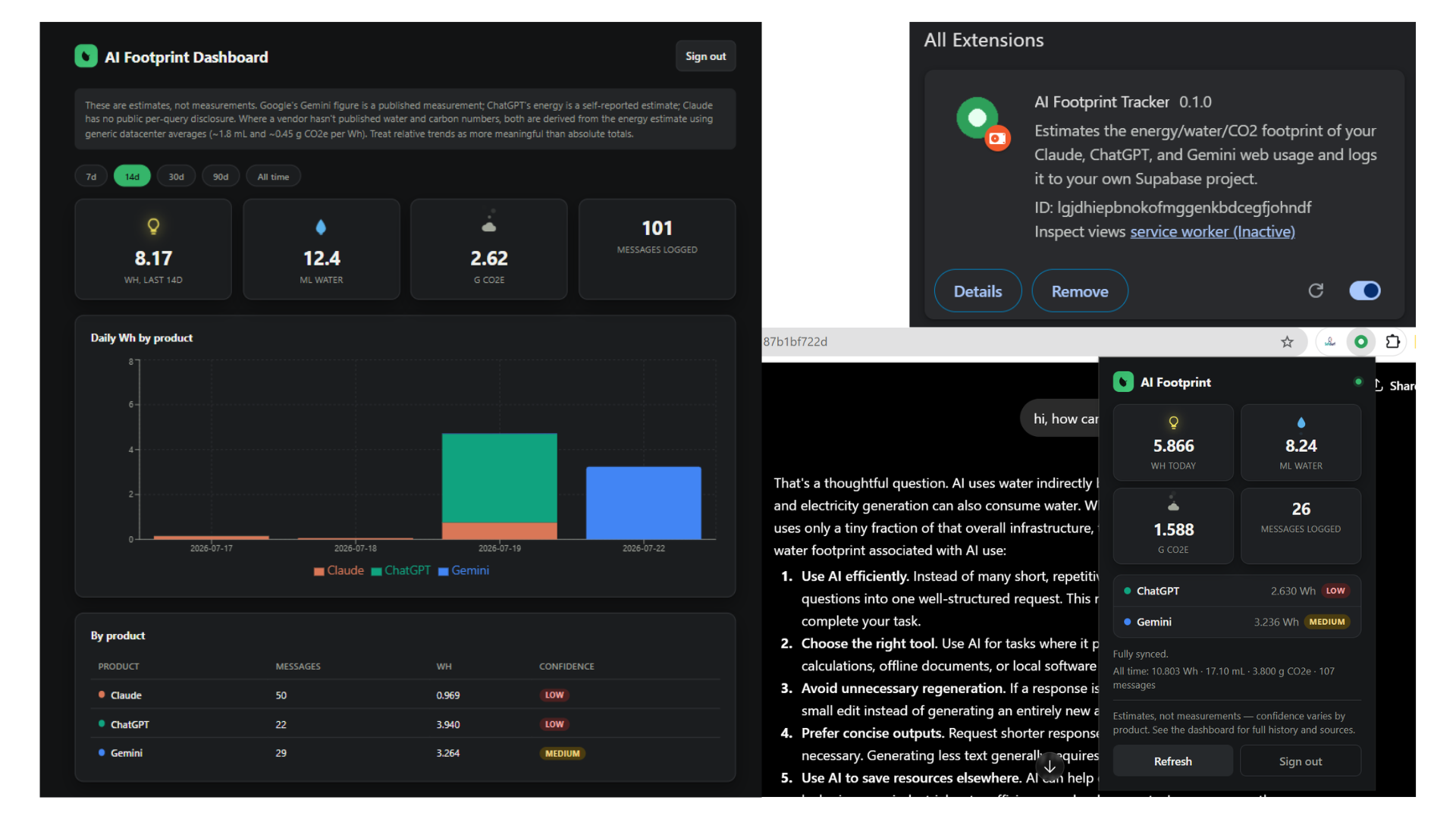
AI Footprint Tracker is a Manifest V3 Chrome extension that watches your Claude, ChatGPT, and Gemini conversations as you use them and estimates the energy (Wh), water (mL), and carbon (g CO2e) cost of each inference, scaled from the few public per-query figures vendors have disclosed. Every estimate carries an explicit confidence tag — measured, medium, or low — so the numbers are never presented as more precise than they are. Usage syncs to a Supabase project protected by row-level security, with a companion dashboard for tracking trends over time by product. It's the applied, shipped counterpart to my "Democratization and Decarbonization of AI Solutions" research below: that paper argues most people have no visibility into what a single AI prompt actually costs the grid, and this extension makes that cost visible in real time.
- Download the .zip above and unzip it.
- Open
chrome://extensionsin Chrome and turn on Developer mode (top right). - Click Load unpacked and select the unzipped folder.
Not yet on the Chrome Web Store — this is a direct, if less polished, way to try it today.